GuardedID
WebMySecure
Home Shopping Cart
Site Search:
 
GuardedID For US GuardedID For Brazil
OUR PRODUCTS

 Home Computers

 Business and Enterprise
 Business Websites
Why GuardedID's Keystroke Encryption Is Needed
 
Completes Your Layered Approach For Online Security
On an almost daily basis, users of the Internet are warned about the latest hacking, infectious spyware or keystroke-logging incident perpetrated by criminals who are seeking to profit illegally by obtaining your financial information and/or identity. Fight back against this crime by arming yourself with the best products to protect your identity.

As an Internet user, it is important that you take the appropriate steps to protect your computer from being at risk of unlawful invasions as follows.
• GuardedID®’s Keystroke Encryption Technology
• Anti-Virus Software
• Anti-Spyware Software
• Firewalls
• Automated System Updates
• Credit Report Monitoring

When you are surfing the web or sending email you may think you are anonymous, but there are various ways that information about you or your activities can be collected without your knowledge or consent.

GuardedID® is the foundation to a layered approach to keeping you secure online. There are several manufacturers of firewall and anti-virus software; we encourage you to research what works best for you.
Anti-Virus Only Protects Against “Known” Threats
Viruses are simply programs that are downloaded to your computer without your knowledge. Viruses can and normally do replicate themselves and may quickly use up your computer’s available memory and bring your operating system to a standstill. Most of these types of viruses are disguised as e-mail attachments. When the attachment is opened the virus attaches itself to your system – many times without your knowledge.

As a result, anti-virus software programs have been created to help protect your system from these unwanted attacks. Your protection against these virus attacks is dependent on maintaining your updates and using precaution when opening e-mail attachments. Should you receive a suspicious e-mail, it is best to delete the e-mail immediately and run a virus check.

The shortcoming of the majority of anti-virus programs today is that they only protect you from virus’s that are known. It is estimated that there are currently thousand of virus lurking in the virtual world today. It is an impossible task to immediately identify a new virus and protect against it. For more information on this process please read about zero day threats.

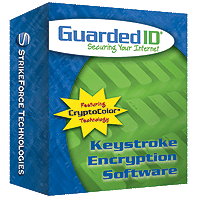
GuardedID® secures everything you type despite any new keylogging viruses that may have infected your computer without your knowledge, by encrypting your keystrokes at the keyboard level and routing them to your browser on a secure path.
Anti-Spyware Requires Signatures To Be Updated
Most anti-virus software requires a frequently updated database of threats. As new spyware programs are released, anti-spyware developers discover and evaluate them, making "signatures" or "definitions" which allow the software to detect and remove the spyware. As a result, anti-spyware software is of limited usefulness without a regular source of updates. Some vendors provide a subscription-based update service, while others provide updates gratis. Updates may be installed automatically on a schedule or before doing a scan, or may be done manually. We strongly recommend allowing for automatic updates.

If a spyware program is not blocked and manages to get itself installed, it may resist attempts to terminate or uninstall it. Some programs work in pairs: when an anti-spyware scanner (or the user) terminates one running process, the other one respawns the killed program. Likewise, some spyware will detect attempts to it being removed and immediately add them again. Usually, restarting the infected computer in safe mode allows an anti-spyware program a better chance of removing persistent spyware.

Malicious programmers have released a large number of fake anti-spyware programs, and widely distributed Web banner ads. They strongly warn users that their computers have been infected with spyware, directing them to purchase programs, which do not actually remove spyware — or worse, may add more spyware. The recent proliferation of fake or spoofed antivirus products has caused some concern. Such products often present themselves as anti-spyware, antivirus, or registry cleaners, and sometimes feature popups prompting users to install them. Known offenders include:
• SpyAxe
• AntiVirus Gold
• SpywareStrike
• WorldAntiSpy
• WinFixer
• SpyTrooper
• Spy Sheriff
• SpyBan
• SpyWiper
• PAL Spyware Remover
• Spyware Stormer
• PSGuard
Firewalls Don’t Protect Data Being Sent Out
Firewalls are the first line of defense in protecting your private information. They are used to prevent unauthorized Internet users from accessing your private computer while it is connected to the Internet. If you have a broadband connection such as a cable modem or DSL, it is especially important to maintain a firewall. The firewall can be set up to filter all traffic entering through the firewall. By examining each of the messages it can block transactions that do not meet your predetermined security criteria. The problem with current firewalls is that they do not protect the data that you are sending out. GuardedID® solves this issue by encrypting your keystrokes at the keyboard level and routing them to your browser on a secure path.
80% Of All Malware Escapes Detection
The most popular antivirus applications on the market are rendered useless by around 80% of new malware, according to AusCERT. At a security breakfast hosted by e-mail security firm Messagelabs in Sydney, Australia, the general manager of the Australian Computer Emergency Response Team (AusCERT), Graham Ingram, told the audience that popular desktop antivirus applications "don't work". "At the point we see it as a CERT, which is very early on -- the most popular brands of antivirus on the market … have an 80 percent miss rate. That is not a detection rate that is a miss rate. "So if you are running these pieces of software, eight out of 10 pieces of malicious code are going to get in," said Ingram.
MP3’s, Videos & Email Are All Transporters Of Malware

Below are a few of the most common methods used to trick you into installing spyware:
• Opening spam email
• Clicking on an MP3 or watching a video from a non-trusted sender
• Clicking on deceptive popups
• Downloading free utilities, games, toolbars, media players, etc.
• Clicking on pictures
• File sharing programs
• Visiting corrupt websites
• Mainstream software applications

You can never assume that a picture, a link, an email or a download does not contain some form of malware that is undetected by your current computer security. As a matter of fact, you should always assume the opposite.

Sadly, much malware is installed inadvertently by the end-user carelessly clicking on links and clicking run or install without looking and reading the text that is on screen.

Do not download or run a file ending in .exe unless you know that you are downloading a program you expect or have specifically requested. Look through the whole filename until the end, as a filename may be, for example, image.jpg.exe - this file is an executable not an image. Also files ending in .zip can sometimes be used to conceal .exe files.

Other malware attempts to use a “bait and switch technique,” to offer something that ostensibly seems of value, such as a screensaver, can then install malware on your computer. The key to this technique is to fool the user into bypassing the machine's security.

Following are some of the different forms of malware and what they do to your computer:

Adware: sends reports of your online activities to a website owner who then directs advertising to your PC.

Keylogger: records actual keystrokes, capturing details such as secure website logins, passwords, account numbers and social security numbers then sends them to a website owner who uses your online identity for purchases and other transactions without you ever knowing.

Hijacker: redirects your home page to somewhere else; sometimes to a site that contains viruses or trojans that infect your computer; other times to a site that racks up long distance phone charges for dialup customers (see dialer below); and sometimes to pornographic web sites.

Dialer: redirects your phone call (dialup customers) to a long distance (& incredibly expensive) site that has been set up specifically for this purpose; the long distance charges get paid to the site owner; they’re usually overseas and thus not under the control of US laws.

Cookies: small files placed on your computer when you visit a website so the website will remember you the next time you visit. Unless you don’t mind re-entering all your data every time you pay a bill or make a purchase from your favorite online site, you need cookies. But you don’t need all the cookies that end up on your computer, so check carefully when running malware scans for which cookies to keep and which ones to delete.

Some malware programs are actually a combination of categories. You can see how important it is to keep malware off your computer. And while there may be only a half dozen or so categories of malware, there are thousands of malware programs out there, all waiting for a chance to invade your computer.

Zero-Day Threats Create A Vulnerability Gap For All
A zero-day (or zero-hour) attack is a computer threat that exposes undisclosed or unpatched computer application vulnerabilities. Zero-day attacks can be considered extremely dangerous because they take advantage of computer security holes for which no solution is currently available.

Zero-day attacks can occur because a vulnerability window exists between the time a threat is released and the time security vendors release patches to address the threat.

For viruses, Trojans and other zero-day attacks, the vulnerability window follows this timeline:
• Release of new threat/exploit
• Detection and study of new exploit
• Development of new solution
• Release of patch or updates signature pattern to catch the exploit
• Distribution and installation of patch on user’s systems or updating of virus databases

This process can often last hours or days, during which networks experience the vulnerability window. One report estimates the 2006 vulnerability window at 28 days.

GuardedID® protects you from keyloggers (often installed during zero-day attacks), by encrypting your keystrokes at the keyboard level and bypassing any keylogger threats that have been maliciously placed on your computer without your knowledge.
How Did That Spyware Get On My Computer
Like weeds silently clinging to your socks as you a stroll through the woods, spyware attaches itself to your computer when you casually surf online. But before something can be installed on your computer you usually have to click on or open some object or program. Below are a few of the most common methods used to trick you into installing spyware:

• Opening spam email
• Clicking on deceptive popups
• Downloading free utilities, games, toolbars, media players, etc.
• Clicking on pictures
• File sharing programs
• Visiting corrupt websites
• Mainstream software applications

While there is plenty of content available on the Internet that is not designed to covertly watch your actions, there are many freebees and even over-the-counter software that come quietly bundled with spyware. Spyware not only gives advertisers an inside look at what interests you online, it can lead to disclosure of sensitive personal data as well. Anything that seems “to good to be true”, typically is and potentially has spyware attached to it.
Predators Watch Our Children Online
"It’s not a private diary that a kid can keep locked up," said Parry Aftab, Internet-safety educator and director of wiredsafety.org. (Aftab's charity takes donations from social-networking sites, including MySpace.) "Whatever they put online is on a billboard on a superhighway."

The Center for Missing and Exploited Children reported 2,660 incidents of adults using the Internet to entice children into meeting in 2005. Attorney General Alberto Gonzales said in April that one in every five children who go online is solicited, and that at any given time 50,000 predators are online trolling for youth contact.

"Predictability. They say 'I'm in school, I'm going bowling one night, I'm going to the movies one night.' They give their name, they give out their birth date and their likes or dislikes,” Sue Balz-Verzal, a Wisconsin mother of two, said. “Kids are giving out way too much information online.”

Cyber-security consultant Tom Kellermann says 500 agents work primarily on cyber crime. With the FTC saying that 10 million Americans' identities have been stolen. According to KXTV, children aren’t immune from identity theft. Senator Hillary Rodham Clinton says as many as 400,000 children may be victims of identity theft. The number of complaints involving kids has grown by 78 percent, making it the fastest growing segment of ID Theft victims. Clinton cites a case in which an identity thief used a 7-year-old’s name, Social Security number and clean credit history to buy a $40,000 houseboat.
Encryption Is The Strongest Form Of Protection

What is 128-bit encryption?
Encryption is a process that scrambles information into a format that unauthorized parties cannot decode or utilize; 128-bit encryption is the strongest, most secure form of encryption generally utilized in Internet browsers in North America. According to RSA Labs, it would take a trillion-trillion years to crack using today’s technology.

GuardedID® utilizes 128-bit encryption to keep your information secure online and then re-routes that encrypted information on a separate path directly to your browser, bypassing any malicious programs that may be hiding in your computer to steal your personal information.